
Simple Fitness & Workouts: a Private, Ad-Free Workout Tracker
Simple Fitness & Workouts is a simple, private workout tracker app for Android. Log your workouts, follow your daily activity, and watch your progress, with every bit of data staying on your device. No ads, no data selling, no account, and it works offline. It's the workout log we wanted to use ourselves.

Free on Google Play for Android. An iPhone version is on the way.
What Simple Fitness & Workouts does
-
Log every workout
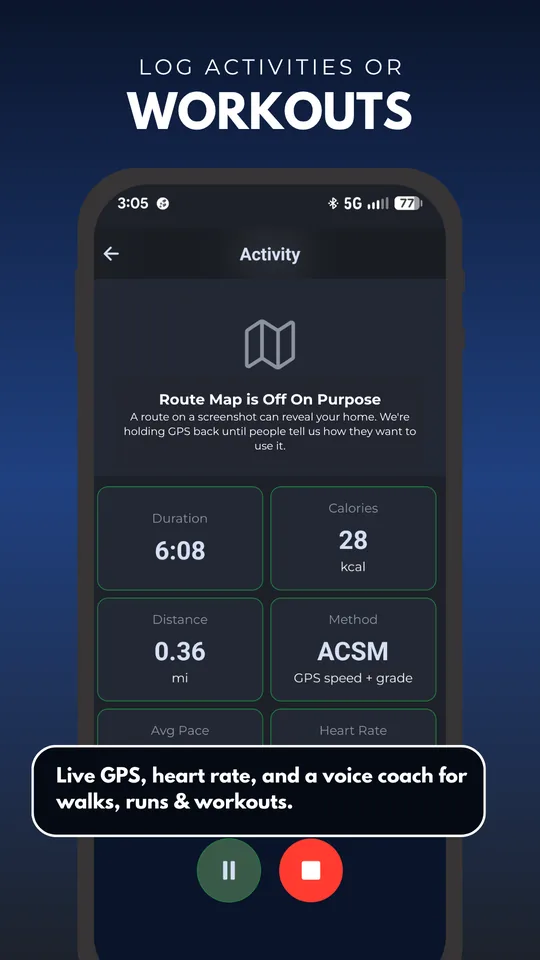
Walks, runs, cycling, gym and yoga, with optional GPS for distance and pace.
-
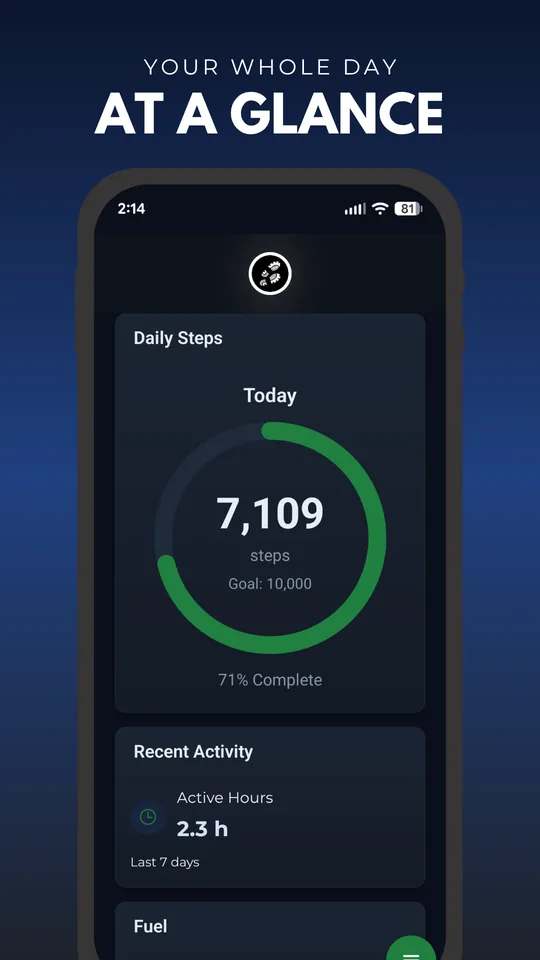
All-day step counter
Runs in the background, turning steps into distance, calories and active minutes.
-
Heart rate & voice coach
Live heart rate from any Bluetooth monitor, with spoken cues for time, pace and heart-rate zones.
-
Science-based numbers
Calories, recovery and training load from published sports-science methods, explained in plain language.
-
Your data, your call
Export everything to CSV, or wipe it for good, anytime.
-
Private by design
No ads, no account for the basics, no data collected. Everything stays on your device.
Vote on the next feature
Help decide what we build next. Vote on the ideas below, or suggest your own. No account needed.
Shipped: you asked, we built it
A workout tracker that doesn't track you
Most workout tracker apps quietly do two kinds of tracking: the workouts you asked them to log, and you. Your habits, your location, your data packaged up for advertisers. Simple Fitness & Workouts only does the first: it's a fitness tracker that works for you, not on you. Your exercise history and activity are logged on your phone and stay there. There's no analytics SDK, no ad network, and nothing to upload. Its Google Play Data safety listing shows no data collected and no data shared. It's a workout tracker, not a you-tracker.
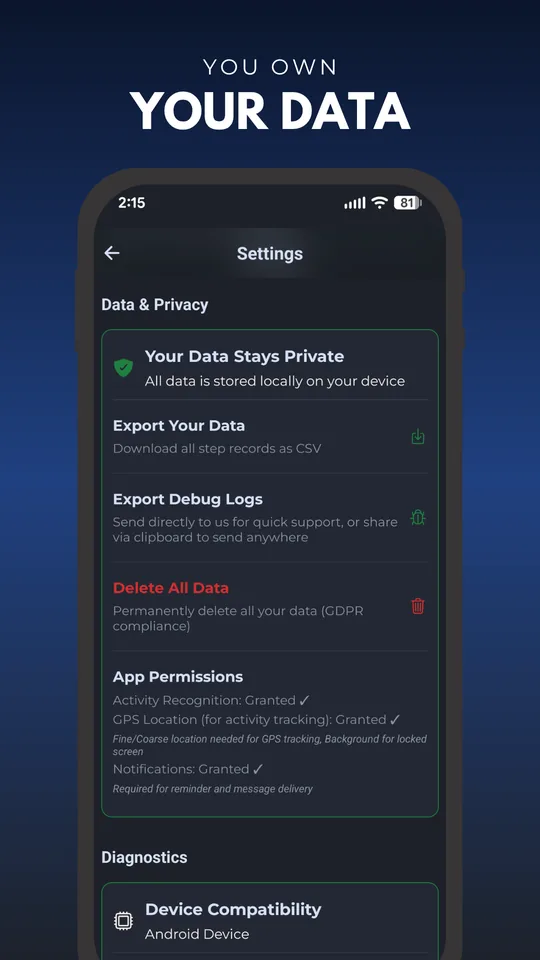
Works offline, no account required
You don't need to create an account, hand over an email, or even be online to use it. Open the app and start logging. At the gym with no signal, on a plane, or anywhere else. Because your workout log lives on your device instead of a company's servers, being an offline workout app is simply how it works, not a feature we bolted on.
Free, with no ads and no subscription
Simple Fitness & Workouts is free to download, with no ads interrupting your set and no subscription gate in front of the basics. We don't sell your data, so we have no reason to monetise your attention. A free, ad-free workout app is the whole point.
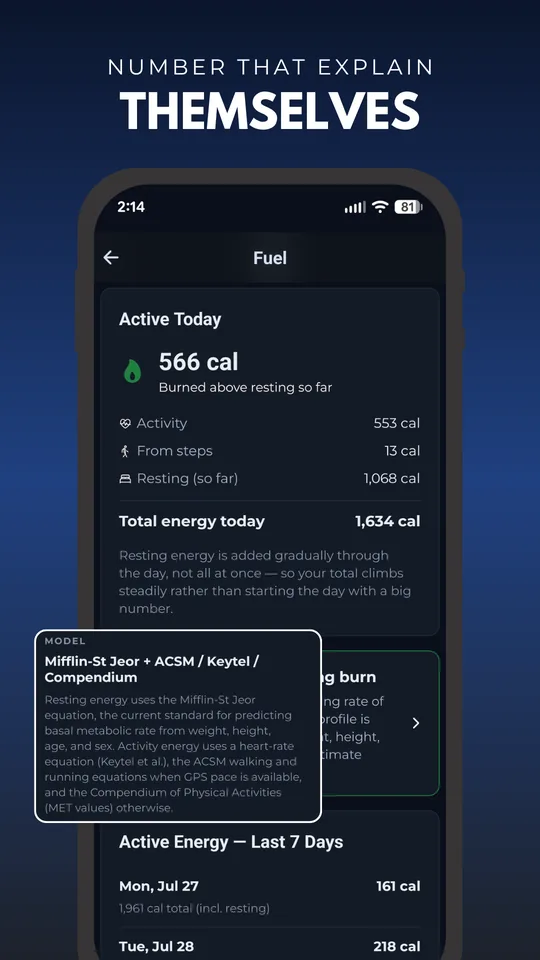
Numbers that explain themselves
Most trackers hand you a score and hide the math. Simple Fitness & Workouts shows its work. Calorie estimates use the Mifflin-St Jeor equation for resting energy, plus heart-rate (Keytel), GPS-pace (ACSM) and activity-type methods. Recovery uses the Acute:Chronic Workload Ratio (ACWR) that sports scientists rely on, so you know when to push and when to rest. And every number is explained in plain language instead of hidden behind a single black-box figure.
Frequently asked questions
Is Simple Fitness & Workouts free?
Yes. It's free to download for Android, with no ads and no subscription.
Do I need an account or sign-up to use it?
No. You don't need an account or email to use the basics. Open the app and start logging right away, and it works offline.
Does the workout tracker work offline?
Yes. Your workout log is stored on your device, so you can record workouts and follow your activity with no internet connection.
Is Simple Fitness & Workouts a workout tracker?
Yes. It's a private workout tracker and log. Record your workouts, sets, reps and daily activity, all kept on your phone instead of a company's servers.
Does the app keep my fitness data private?
Yes. Your workouts and activity stay on your device. There's no ad tracking, no analytics, and no selling of health data.
Installation & permissions
Why does the app ask for location access?
Android ties continuous background access to your phone's step-counter sensor to the location permission. It's an Android platform requirement, not our choice. The app does not collect, store, or transmit your location. Your fitness data stays on your device.
What happens if I deny the permission?
The app still logs workouts and counts steps while it's open, but Android blocks background step counting without it. So your activity totals won't update when the app isn't on screen.
How do I fix step counting that isn't working?
Go to your phone's Settings → Apps → Simple Fitness & Workouts → Permissions, and set Location to "Allow all the time."
Just want a dedicated step counter instead? Try our free step counter & pedometer app, or browse all our privacy-first fitness apps.